Page 2 of 2
Re: Uptime warnings
Posted: Fri Nov 15, 2013 11:59 am
by tmcdonald
dcordero wrote:When you say host, do you mean a computer that I want to use this uptime monitor on? If so, then yes I have many hosts for this.
Yes. All services need to be associated with a host.
You say you're on Ubuntu. Did you install using "sudo apt-get" or did you install from source?
Re: Uptime warnings
Posted: Fri Nov 15, 2013 12:41 pm
by dcordero
To lmiltchev: Ok I think I know what you mean, here is an entry for one of the servers I'm having the uptime alert issue with. Server never goes down but uptime alerts keep going out. I know that there's not a service defined for the uptime alert for this server but wouldn't that mean that I shouldn't be getting any uptime alerts about it?
To tmcdonald: I wasn't the one to install this so I couldn't really tell you. They kinda just threw this in my lap and said "here, play with this."
##############
# ISD-SERVER01#
##############
define host{
use windows-server ; Inherit default values from a template
host_name ISD-SERVER01 ; The name we're giving to this host
hostgroups +sixty4bit-servers
address 172.20.250.194 ; IP address of host\
}
define service{
use Windows-disk-service
host_name ISD-SERVER01
service description Drive space: C:
check_commmand check_nt!USEDDISKSPACE!-l c -w 70 -c 90
}
define service{
use NetBackup-service
hsot_name ISD-SERVER01
}
Re: Uptime warnings
Posted: Fri Nov 15, 2013 3:33 pm
by abrist
Are the uptime alerts critical?
Re: Uptime warnings
Posted: Fri Nov 15, 2013 3:34 pm
by sreinhardt
Well, host-name is spelled incorrectly on the second service. Additionally, could you post the Windows-disk-service template?
Re: Uptime warnings
Posted: Mon Nov 18, 2013 10:08 am
by dcordero
At abrist: The uptime alerts are required.
At sreinhardt: Disregard the typo's in the post, they're written correctly in the file. Here is what I believe the windows-disk-service template:
define service{
use Windows-disk-service
hostgroup_name branch-servers
service_description Drive space: C:
check_commmand check_nt!USEDDISKSPACE!-l c -w 90 -c 95
}
There are also a couple additional templates like this for the D: and E: drives
Re: Uptime warnings
Posted: Mon Nov 18, 2013 12:17 pm
by lmiltchev
This is not the "Windows-disk-service" template... You should have:
Code: Select all
service_description Windows-disk-service
instead of:
Code: Select all
service_description Drive space: C:
Also, templates should have a line that says:
Do you have a file named templates.cfg?
Re: Uptime warnings
Posted: Mon Nov 18, 2013 12:43 pm
by dcordero
At lmiltchev: Good call on that templates file, I found this in there
At sreinhardt: Does this look more like what you were asking for?
define service
{
name Windows-disk-service
use host-service
servicegroups Disk-services
notofication_period workhours
register 0
}
Re: Uptime warnings
Posted: Mon Nov 18, 2013 5:34 pm
by slansing
Okay lets back up.. are you absolutely sure the notifications are telling you that they are coming from the uptime service? Because that service has no warning or critical thresholds, nor does it need any as it only reports the uptime of the Windows system. It may be possible that the host itself is losing connectivity to that host address, did you receive any host critical state changes?
Re: Uptime warnings
Posted: Tue Nov 19, 2013 2:57 pm
by dcordero
I've attached a couple screen shots of email alerts I get. The one that states the server is actually DOWN wasn't true because I could access the server. The other is just a warning then an alert stating it's OK. I'm constantly getting these from servers on two different networks in the same building. I starting to wonder, could this all be attributed to network issues?
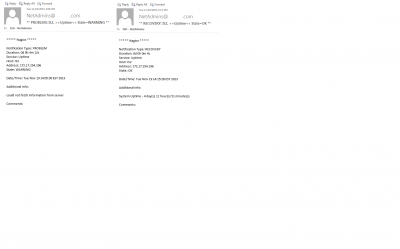
- Warning and OK alerts
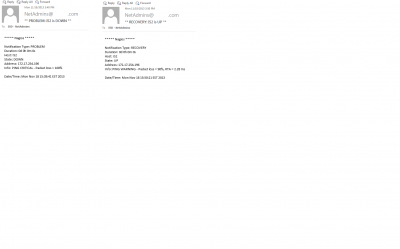
- Servers Down
Re: Uptime warnings
Posted: Wed Nov 20, 2013 10:45 am
by slansing
In that ping check it looks like the packet loss skyrocketed which would definitely indicate a networking issue. I'd recommend watching for this, then pinging the remote host's address from the XI server. You could also try doing this from your workstation to see if it's happening from both start points.