Page 1 of 2
Web Transaction - Webinject issue
Posted: Tue Aug 19, 2014 7:24 am
by Phil.Pearce
Hi,
I've been using the Web Transaction wizard and had it working. I've now gone to try another of our websites and I'm having difficulty getting webinject to work with the websites login.
I used Fiddler to capture details of the responses etc.
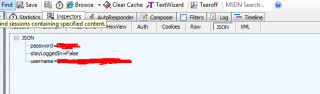
I found in the JSON section the information I need to login.
Any ideas how I get this info into webinject config so that I can login?
Re: Web Transaction - Webinject issue
Posted: Tue Aug 19, 2014 4:54 pm
by tmcdonald
That picture is quite small so I can't see the details, however for a general webinject overview, take a look here:
http://assets.nagios.com/downloads/nagi ... ios-XI.pdf
Particularly, look at pages 5 and 6 for some examples of how to POST data to a login page.
Some very in-depth information can be found right on the project's manual page:
http://www.webinject.org/manual.html
Re: Web Transaction - Webinject issue
Posted: Wed Aug 20, 2014 2:54 am
by Phil.Pearce
yes I have it working with a normal website login.
But I am unable to get it working with a website that uses JSON
I have already looked at that document, and the webinject website and examples.
Re: Web Transaction - Webinject issue
Posted: Wed Aug 20, 2014 1:44 pm
by tmcdonald
Have you captured a successful login? If so it should show you what the username and password GET or POST data looked like, and from there you can enter that pretty easily into a webinject template.
Re: Web Transaction - Webinject issue
Posted: Wed Aug 20, 2014 2:43 pm
by Phil.Pearce
There is nothing in GET or POST. Details are in a JSON section
Re: Web Transaction - Webinject issue
Posted: Thu Aug 21, 2014 9:44 am
by tmcdonald
Every time you view a web page you are either making a GET or a POST request. Same goes for logging in. There has to be a URL or query string listed somewhere. What exactly are you doing to get this JSON?
Re: Web Transaction - Webinject issue
Posted: Thu Aug 21, 2014 10:02 am
by Phil.Pearce
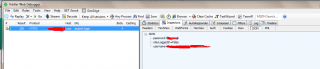
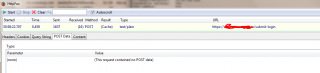
Looking at fiddler and another httpfoxplugin to view the headers.... I get this
http://i1140.photobucket.com/albums/n57 ... c8fb04.png
http://i1140.photobucket.com/albums/n57 ... d10322.png
It says application/json and I can see within fiddler (JSON section) the login details posted into the website
http://i1140.photobucket.com/albums/n57 ... 4b9a3f.png
Re: Web Transaction - Webinject issue
Posted: Thu Aug 21, 2014 10:14 am
by tmcdonald
It's showing JSON because you have Fiddler set to display it as JSON. If you click XML it will likely display as XML. You probably want to look at "Headers", "Auth", or "Raw" in order to get the data you need to send. Somewhere on that submit-login page is a form that does either a GET or a POST to itself or another page. That's where you need to send the username and password, either as part of the URL in a GET or as part of the POST parameters.
Re: Web Transaction - Webinject issue
Posted: Thu Aug 21, 2014 10:36 am
by Phil.Pearce
The username/password can be seen in RAW. None of the rest though.
I tried this
<testcases repeat="1">
<testvar varname="USER">username</testvar>
<testvar varname="PASS">password</testvar>
<case
id="2"
description1="Login to Website"
method="post"
url="
https://my.domain.com/submit-login"
postbody="{username:${USER},password:${PASS},stayLoggedIn":false}
verifypositive="My result"
errormessage="Case 2 - Unable to login to website"
/>
postbody was what I viewed in the raw output
and got
(Return code of 255 is out of bounds)
Re: Web Transaction - Webinject issue
Posted: Fri Aug 22, 2014 2:34 pm
by sreinhardt
well 255 generally means something really went wrong, or the dev of webinject choose to use a non-standard exitcode. Does it work any different if you try:
Code: Select all
<testcases repeat="1">
<testvar varname="USER">username</testvar>
<testvar varname="PASS">password</testvar>

<case>
id="2"
description1="Login to Website"
method="post"
url="https://my.domain.com/submit-login"
postbody="{username:${USER},password:${PASS},stayLoggedIn":false}
verifypositive="My result"
errormessage="Case 2 - Unable to login to website"
</case>
OR
Code: Select all
<testcases repeat="1">
<testvar varname="USER">username</testvar>
<testvar varname="PASS">password</testvar>

<case
id="2"
description1="Login to Website"
method="post"
url="https://my.domain.com/submit-login"
postbody="{username:${USER},password:${PASS},stayLoggedIn":false}
verifypositive="My result"
errormessage="Case 2 - Unable to login to website"
></case>
Also are user and pass something you are exporting to the shell or a commandline argument you are using? What is the full webinject command you are attempting to run?