Page 1 of 2
World Map
Posted: Wed Nov 06, 2019 6:52 am
by optionstechnology
Is there any documentation for the new world map button?
How it runs? or how its configured? or what link it needs to the tiles?
All the info I can find is for
https://exchange.nagios.org/directory/A ... nt/details
Is it the same as this but with a different component name?
I can see it show up in the components but there is no options to configure
I cant find any mention of it in your help files or documentation....
Does it use the 2D coords box on the Misc settings tab? or does it use the notes field?
Am I able to chart a service as a line between devices?
Re: World Map
Posted: Wed Nov 06, 2019 9:36 am
by scottwilkerson
The first time you load the map the below dialog box should appear
world_map.JPG
Re: World Map
Posted: Thu Nov 07, 2019 12:06 pm
by optionstechnology
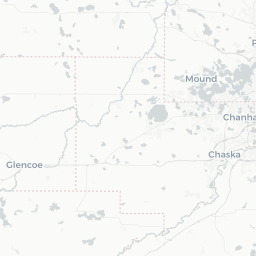
All I get is a gray map - I assume there is a map tile server that I need access to?
Do you know the URL for it?
Re: World Map
Posted: Thu Nov 07, 2019 12:29 pm
by scottwilkerson
They are subdomains of
some are
Code: Select all
https://cartodb-basemaps-a.global.ssl.fastly.net
https://cartodb-basemaps-b.global.ssl.fastly.net
https://cartodb-basemaps-c.global.ssl.fastly.net
https://cartodb-basemaps-d.global.ssl.fastly.net
Re: World Map
Posted: Thu Nov 07, 2019 12:38 pm
by scottwilkerson
looking at the code, it is just those 4 sub-domains
Re: World Map
Posted: Thu Dec 12, 2019 9:30 am
by optionstechnology
I am able to access all of the required sites from the command line, both via telnet and wget (see below).
Just when I'm on the front end on World Map nothing loads in the background and I see ERR_CONNECTION_TIMEOUT errors in the developer tools console.
cartodb-basemaps-c.global.ssl.fastly.net/light_all/9/122/184.png:1 GET https://cartodb-basemaps-c.global.ssl.f ... 22/184.png net::ERR_CONNECTION_TIMED_OUT
Code: Select all
[root@localhost nagios]# telnet global.ssl.fastly.net 80
Trying 151.101.0.249...
Connected to global.ssl.fastly.net.
Escape character is '^]'.
^]
telnet> quit
Connection closed.
[root@localhost nagios]#
[root@localhost nagios]#
[root@localhost nagios]# telnet global.ssl.fastly.net 443
Trying 151.101.0.249...
Connected to global.ssl.fastly.net.
Escape character is '^]'.
^[quit
Connection closed by foreign host.
[root@localhost nagios]#
[root@localhost nagios]#
[root@localhost nagios]#
[root@localhost nagios]# telnet cartodb-basemaps-a.global.ssl.fastly.net 80
Trying 151.101.129.194...
Connected to cartodb-basemaps-a.global.ssl.fastly.net.
Escape character is '^]'.
^]
telnet> quit
Connection closed.
[root@localhost nagios]#
[root@localhost nagios]#
[root@localhost nagios]# wget https://cartodb-basemaps-a.global.ssl.fastly.net
--2019-12-12 09:19:41--  https://cartodb-basemaps-a.global.ssl.fastly.net/
Resolving cartodb-basemaps-a.global.ssl.fastly.net... 151.101.193.194, 151.101.1.194, 151.101.65.194, ...
Connecting to cartodb-basemaps-a.global.ssl.fastly.net|151.101.193.194|:443... connected.
HTTP request sent, awaiting response... 200 OK
Length: 2346 (2.3K) [text/html]
Saving to: âindex.html.8â

100%[===============================================>] 2,346       --.-K/s   in 0s

2019-12-12 09:19:41 (62.7 MB/s) - âindex.html.8â
Any ideas? Everything looks fine on our end unless I'm missing something.
Re: World Map
Posted: Thu Dec 12, 2019 1:20 pm
by mbellerue
When you perform the wget, what is the actual content of index.html? Can you post that as a .txt file?
Re: World Map
Posted: Fri Dec 13, 2019 9:37 am
by optionstechnology
Here you go
Re: World Map
Posted: Fri Dec 13, 2019 3:40 pm
by ssax
Please run this command from the CLI of the XI server (as root) and LEAVE IT RUNNING:
Code: Select all
tail -Fn0 /var/log/httpd/error_log /var/log/httpd/ssl_error_log
Then open up your browser and go to the worldmap page to replicate the gray screen, refresh it a couple times.
Then send us the entire output.
This is likely an issue with your web browser (please try firefox with the proxy option disabled or another browser if using IE) and a proxy or a web gateway blocking the XHR/Ajax request (which is what you see), that request should be sending from your browser through XHR/Ajax not from the XI server so it's likely your own computer that is blocked by a proxy/gateway.
Re: World Map
Posted: Thu Jan 02, 2020 5:28 pm
by optionstechnology
I'm not getting any output from that command and I was able to replicate the gray screen:
Code: Select all
[root@hostname nagios]# date
Thu Jan  2 17:20:09 EST 2020
[root@hostname nagios]#
[root@hostname nagios]# tail -Fn0 /var/log/httpd/error_log /var/log/httpd/ssl_error_log
==> /var/log/httpd/error_log <==

==> /var/log/httpd/ssl_error_log <==
^C
[root@hostname nagios]#
[root@hostname nagios]#
[root@hostname nagios]# date
Thu Jan  2 17:25:08 EST 2020
Anything else we can try here?