
The Nagios XI mobile interface allows you to complete business critical monitoring tasks from your mobile device.
Navigate to the Nagios XI URL (http://<ADDRESS>/nagiosxi/mobile) from your mobile device.
Enter the username and password you use to login to the desktop version of Nagios XI. Click the Log In button.
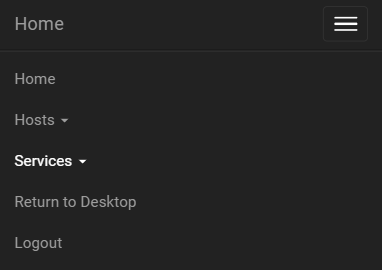
When logged in to the mobile interface, clicking the icon at the top right of the screen will open the main menu. The menu will give you the following options:
After logging in, you will be presented with a host overview which will display all of your monitored hosts and the status of each. You can quickly view the number of hosts in each status and the number of issues: Up, Down, Unreachable, Problems, Unhandled. You can then drilldown to view details or acknowledge issues.

In the services overview section, you will be presented with a display of all of your monitored services and the status of each. You can quickly view the number of services in each status and the number of issues: OK, Warning, Critical, Unknown, Problems, Unhandled. You can then drilldown to view details or acknowledge issues.

At the bottom of the Home page you can check the Disable redirection to mobile interface checkbox if you no longer want to use the mobile interface on your mobile device. Doing this will force your mobile device to display the desktop interface with all subsequent logins to Nagios XI.
Article ID: 873
Created On: Tue, Sep 8, 2020 at 4:13 PM
Last Updated On: Fri, Oct 9, 2020 at 9:02 AM
Authored by: rspielman
Online URL: https://support.nagios.com/kb/article/nagios-xi-mobile-user-interface-873.html