;)

;)
;)

;)
;)
;)

;)
;)
;)
;)
;)
;)
;)
;)
;)
;)
;)
;)
;)
;)
;)

;)
;)
;)
;)
;)
;)
;)
;)
;)
;)
;)
;)
;)
;)
;)
;)
;)
;)
;)
;)

Overview
This article will show you how to create a link in the Quick Actions menu of a host of service to use the Actions URL value that exists in a host or service object. This is achieved using the Actions component supplied with Nagios XI.
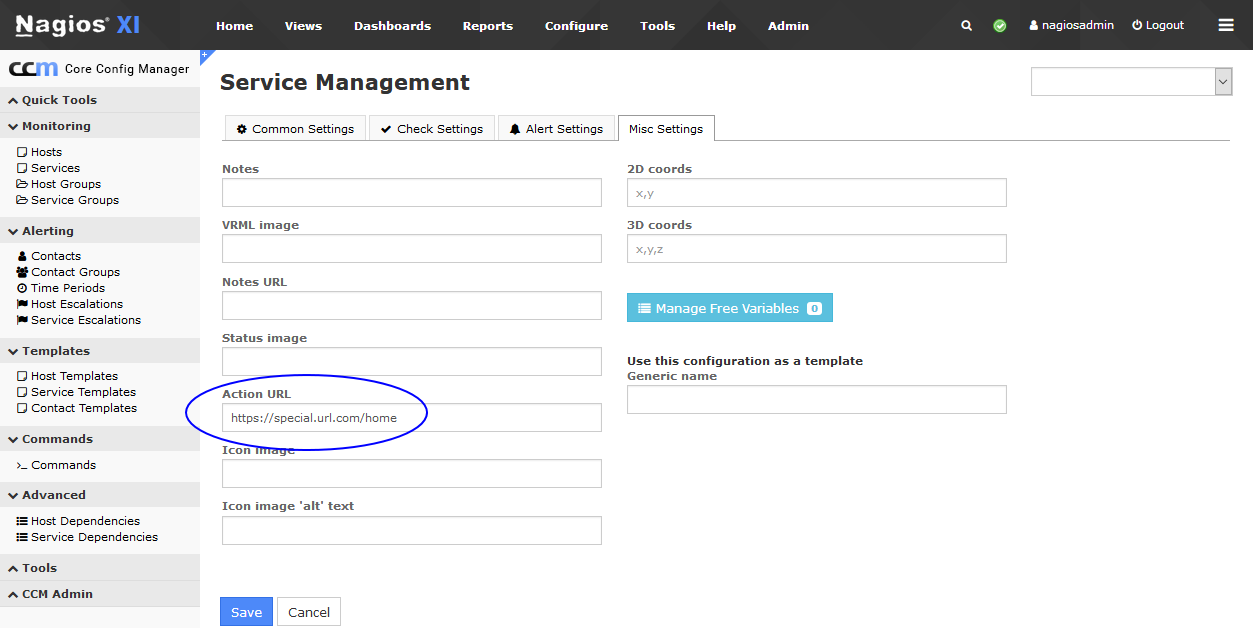
Here is a service object with a value defined in the Actions URL directive:
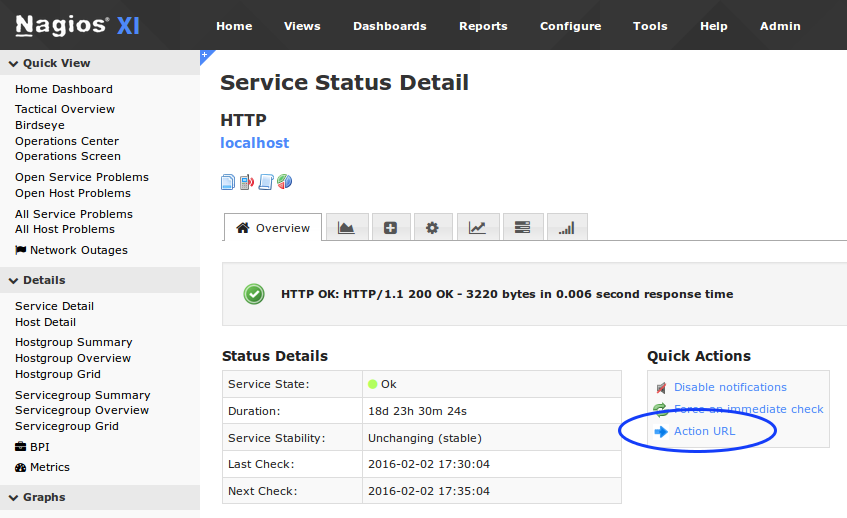
Here is the link we are going to create in the Quick Actions menu:
Create Quick Actions Link
Click the Admin menu and under System Extensions click Manage Components
Click the Settings icon for the Actions component
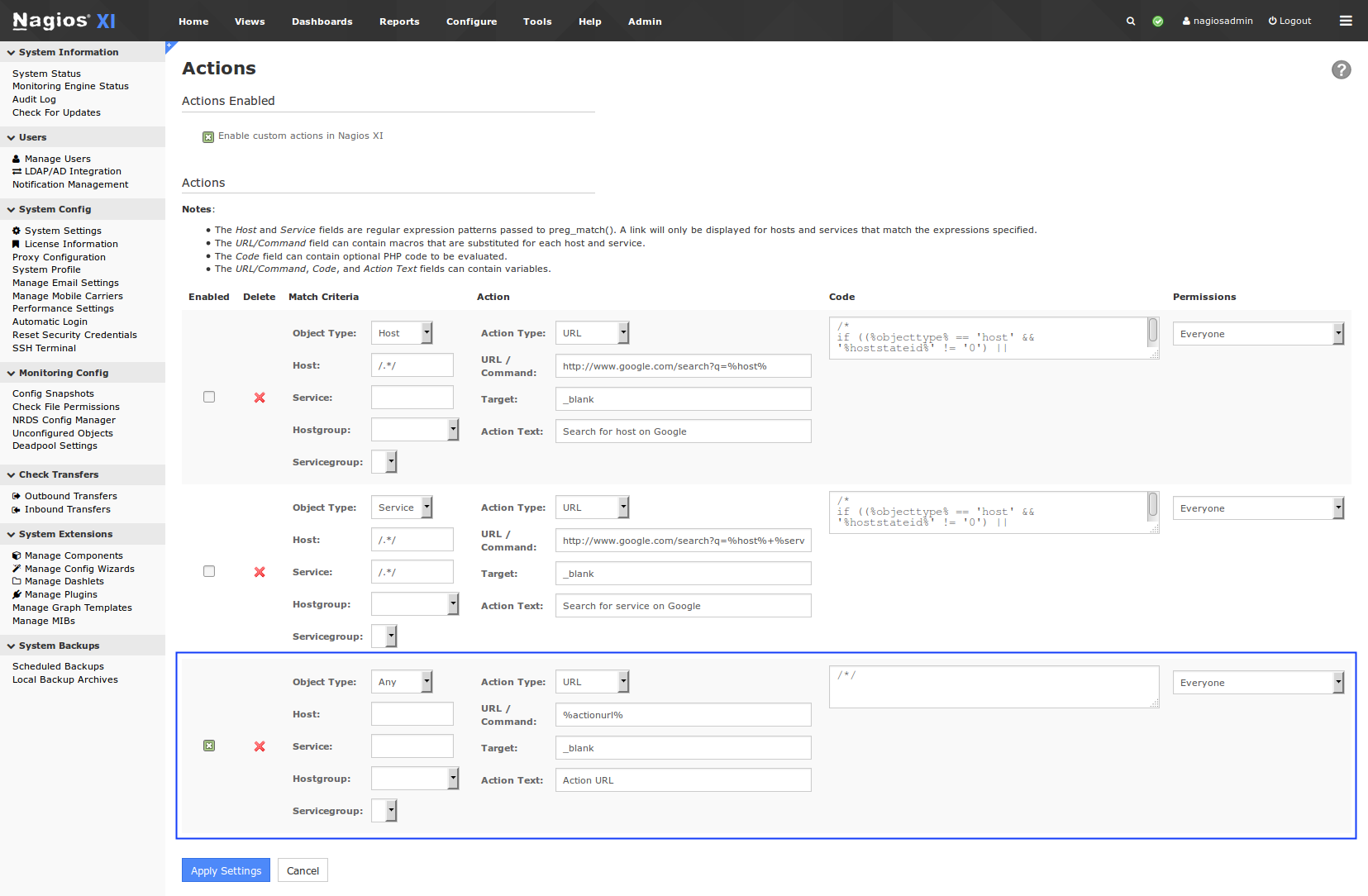
For the third item "Any"
Check the checkbox
Action Type: URL
URL/Command: %actionurl%
Target: _blank
Action Text: Action URL
Code box: /*/
Click the Apply Settings button
You'll see this has now been added as an addition item:
Now navigate to any service object and you'll find the new Action URL quick link.
Note: %notesurl% %actionurl% and %notes% are three common variables that can be used.
Further Reading
A detailed guide on the Actions component can be found here:
Documentation - Nagios XI - How To Use The Actions Component
Final Thoughts
For any support related questions please visit the Nagios Support Forums at:

 Subscribe to Article
 Print Article
 Email Article to Friend
 Export to PDF
 Export to MS Word
